Desktop Suite / Ongoing Personal Project
Manaforge
From preparing proxy sheets to building decks: a local-first Magic: The Gathering workspace with visual search, recommendations, shared card data, and print-ready output.
Manaforge Today
Where It Is Now
Manaforge started with a specific problem: I wanted a more intuitive way to prepare proxy cards for home printing. It has since grown into a Python and PyQt6 desktop suite with three connected parts: Print Proxy Prep, a shared card database and administration app, and a working visual Deck Editor. This is still an actively developing personal project, with AI assisting the implementation as I direct the workflows, iterate on the design, and evaluate the results.
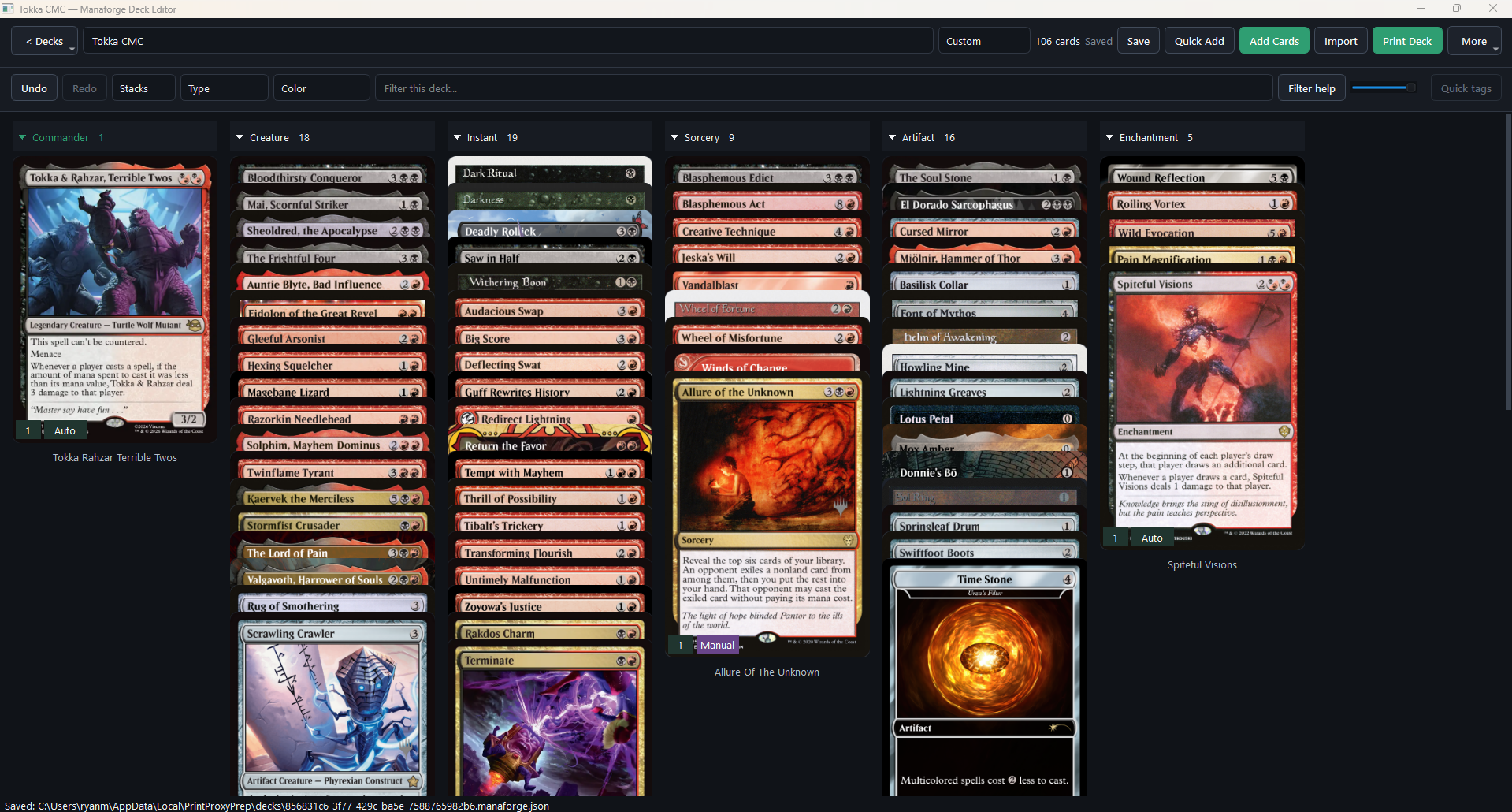
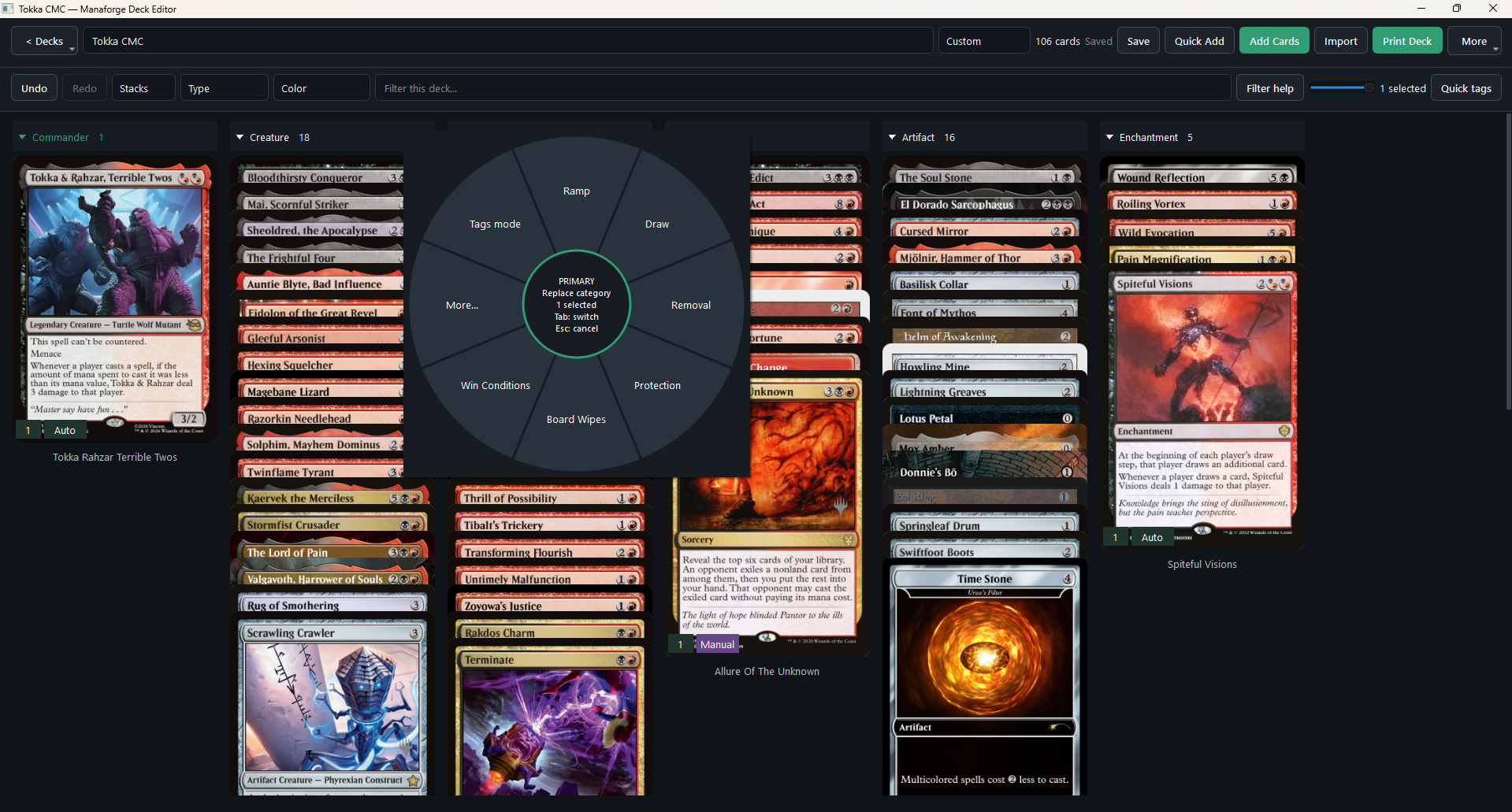
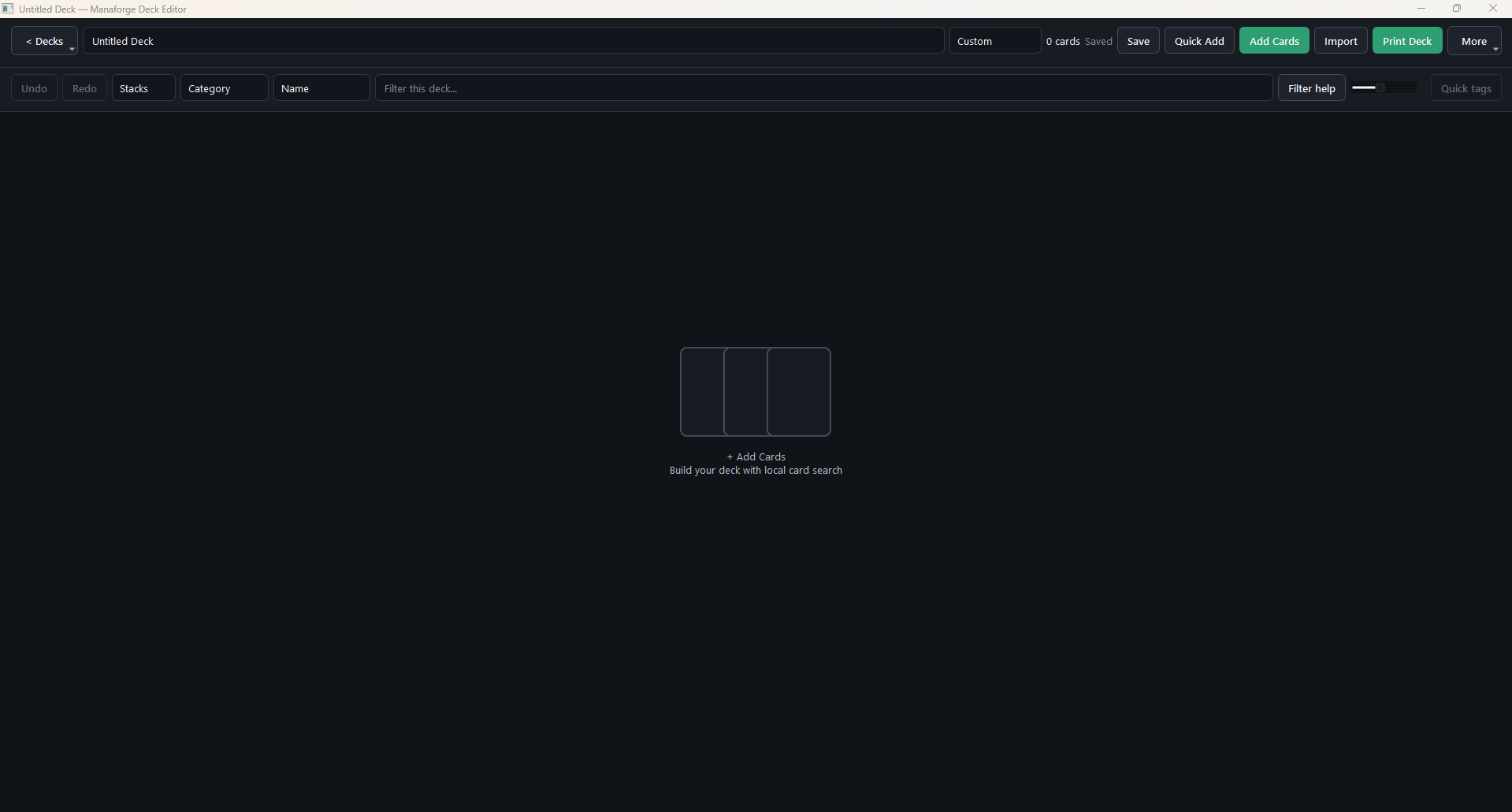
The current editor lets me search a local card catalog, build and organize a deck, explore recommendations, choose artwork, and hand the deck off to print preparation. The October 2026 screenshots above show the current desktop workflow, rather than the earlier print-only version.
Building and Organizing Decks
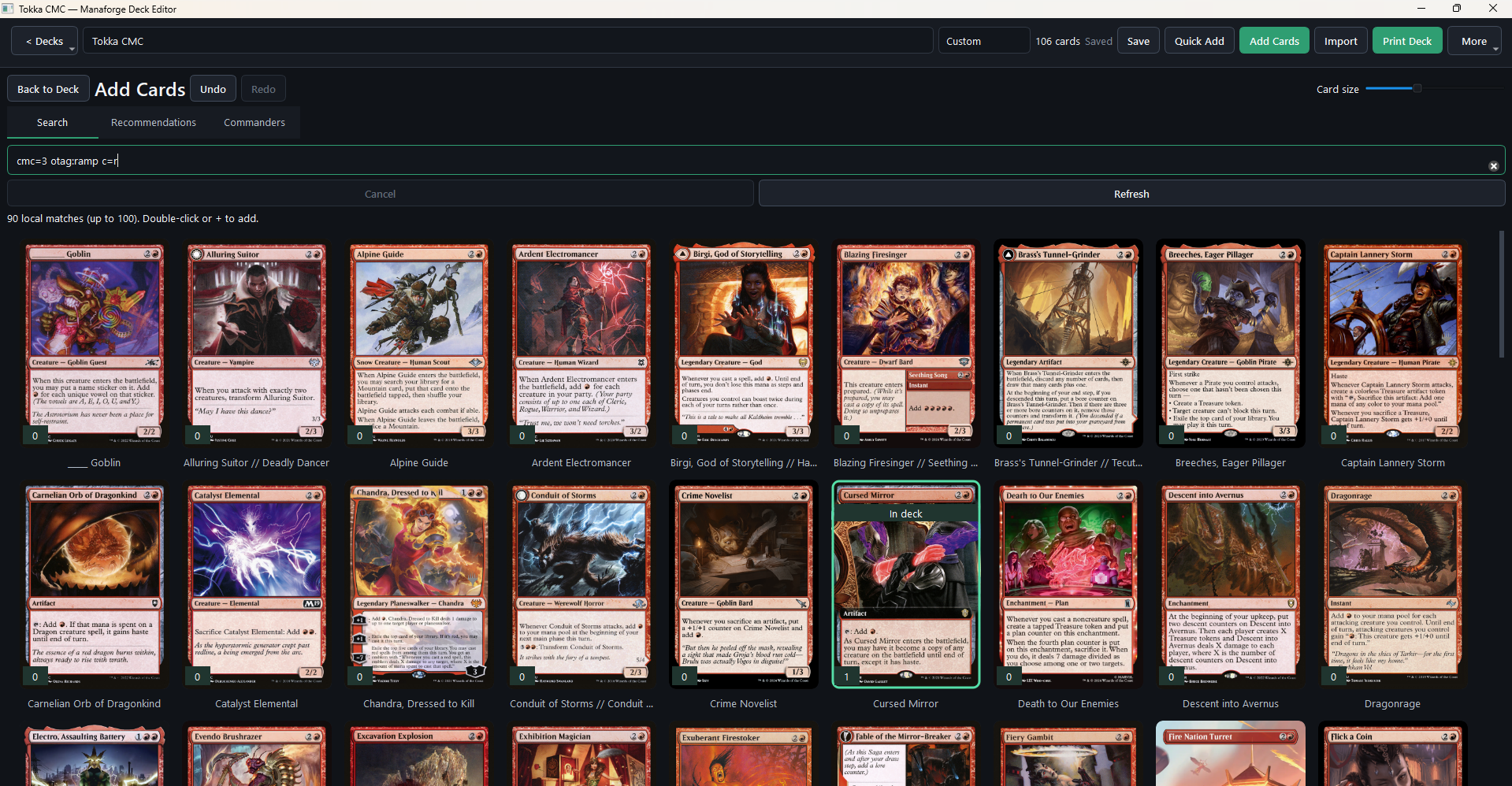
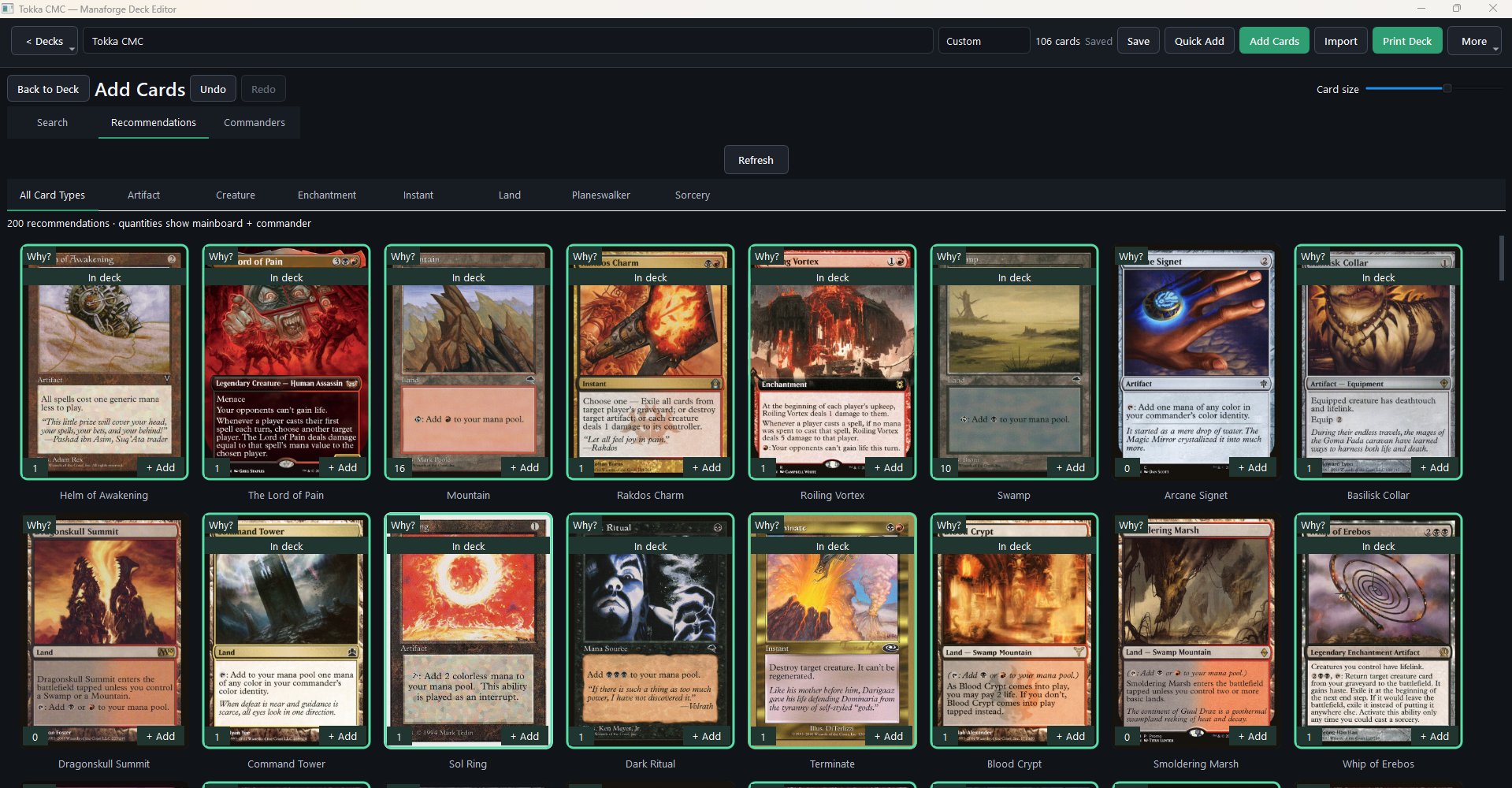
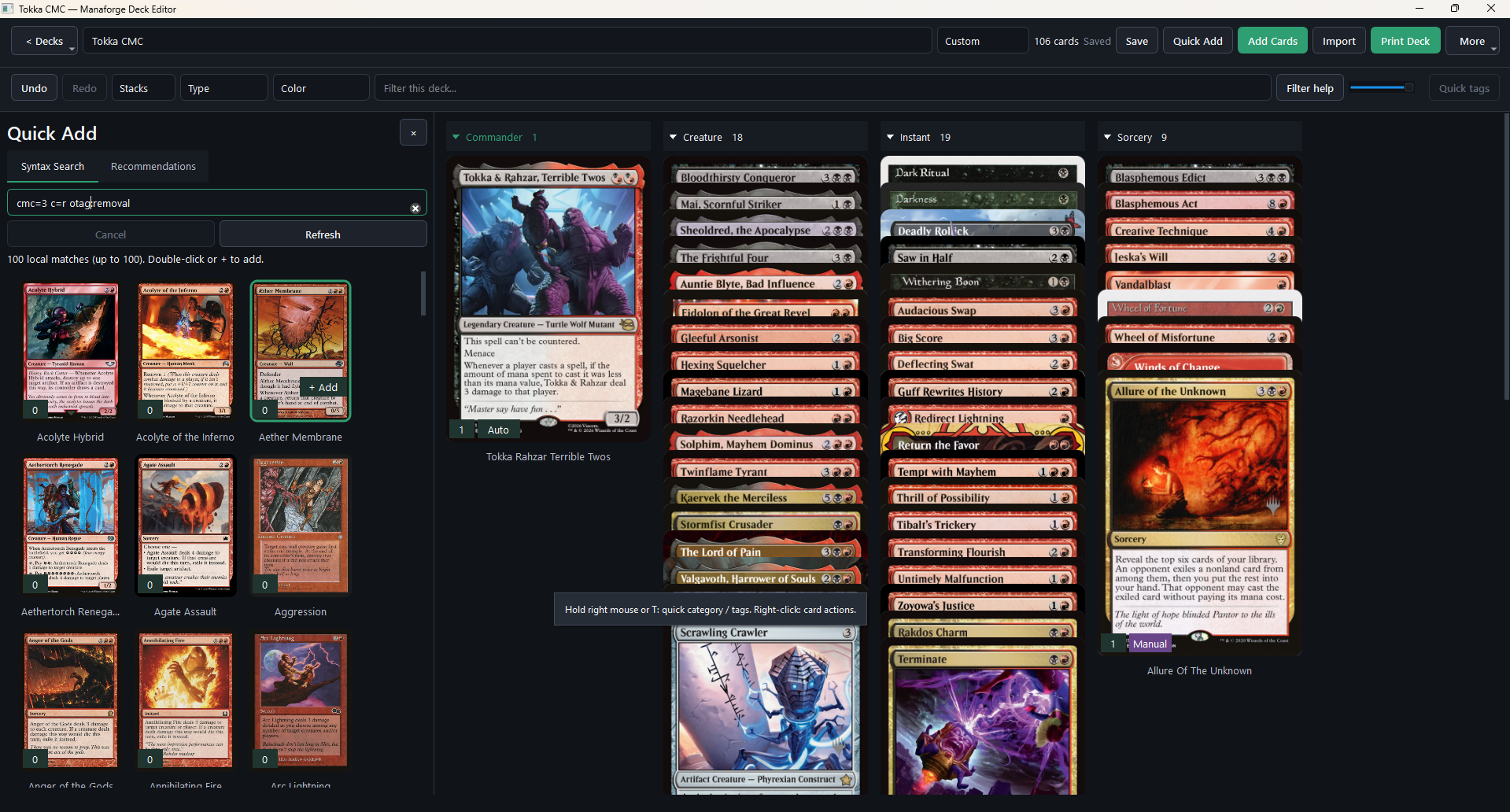
The Deck Editor supports full-card grids and overlapping stacks, grouped by type, mana value, color, category, or section. A Quick Add panel keeps local search beside the deck, while a larger Add Cards workspace provides search, recommendations, and commander discovery. Existing deck cards are highlighted in the results. A radial menu makes assigning categories and secondary tags quicker without leaving the card workspace.
From Deck to Printed Cards
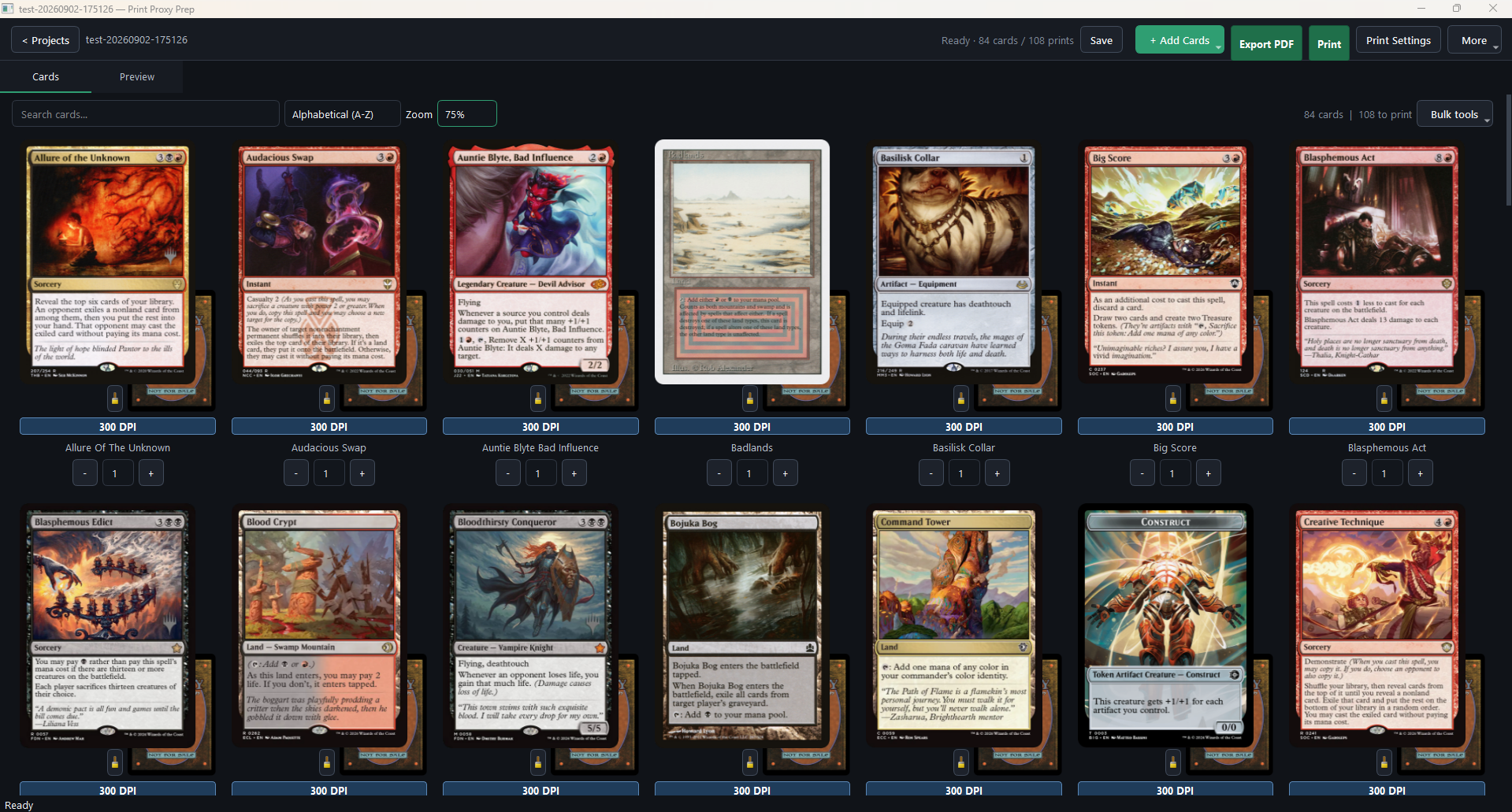
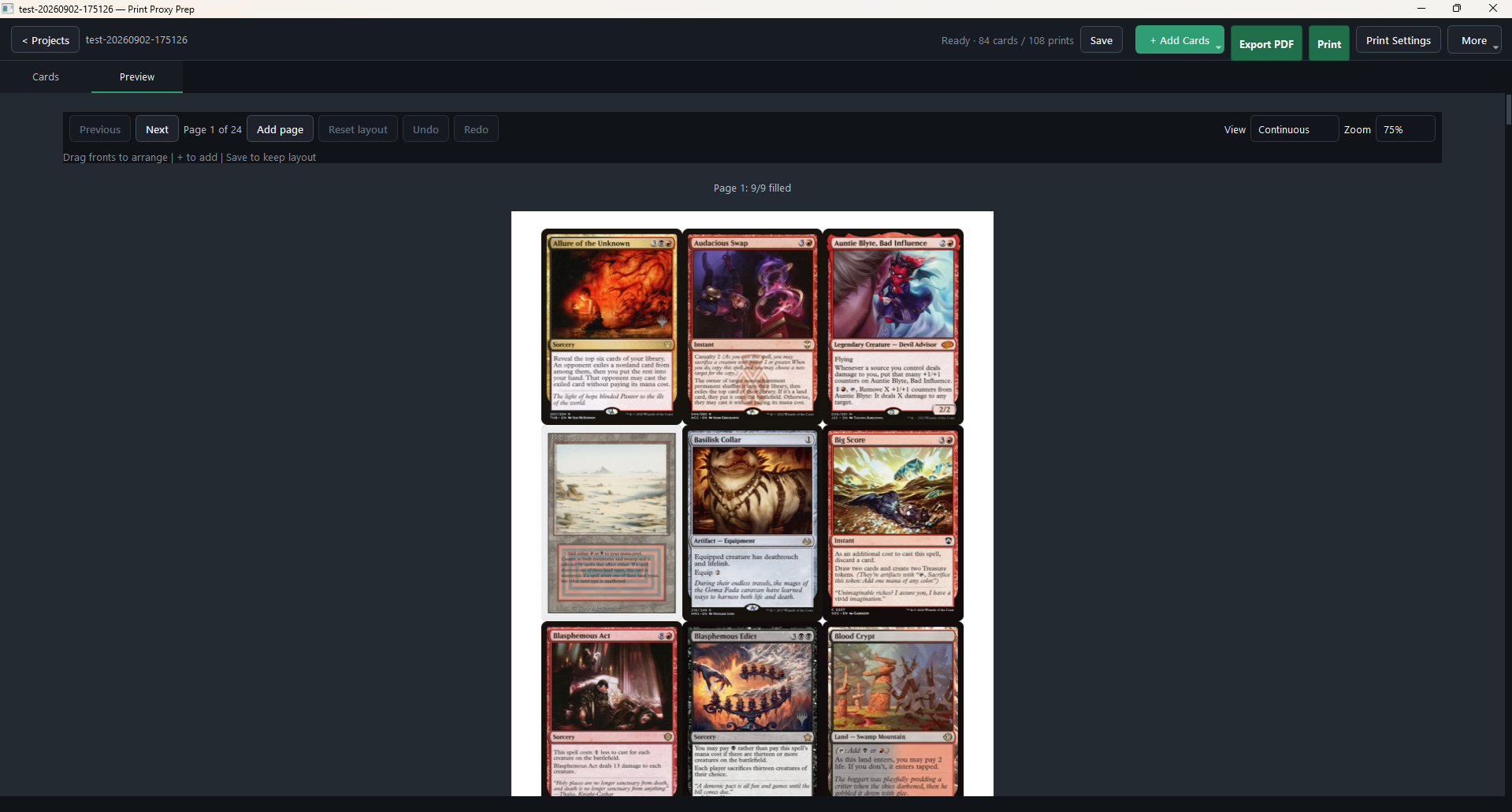
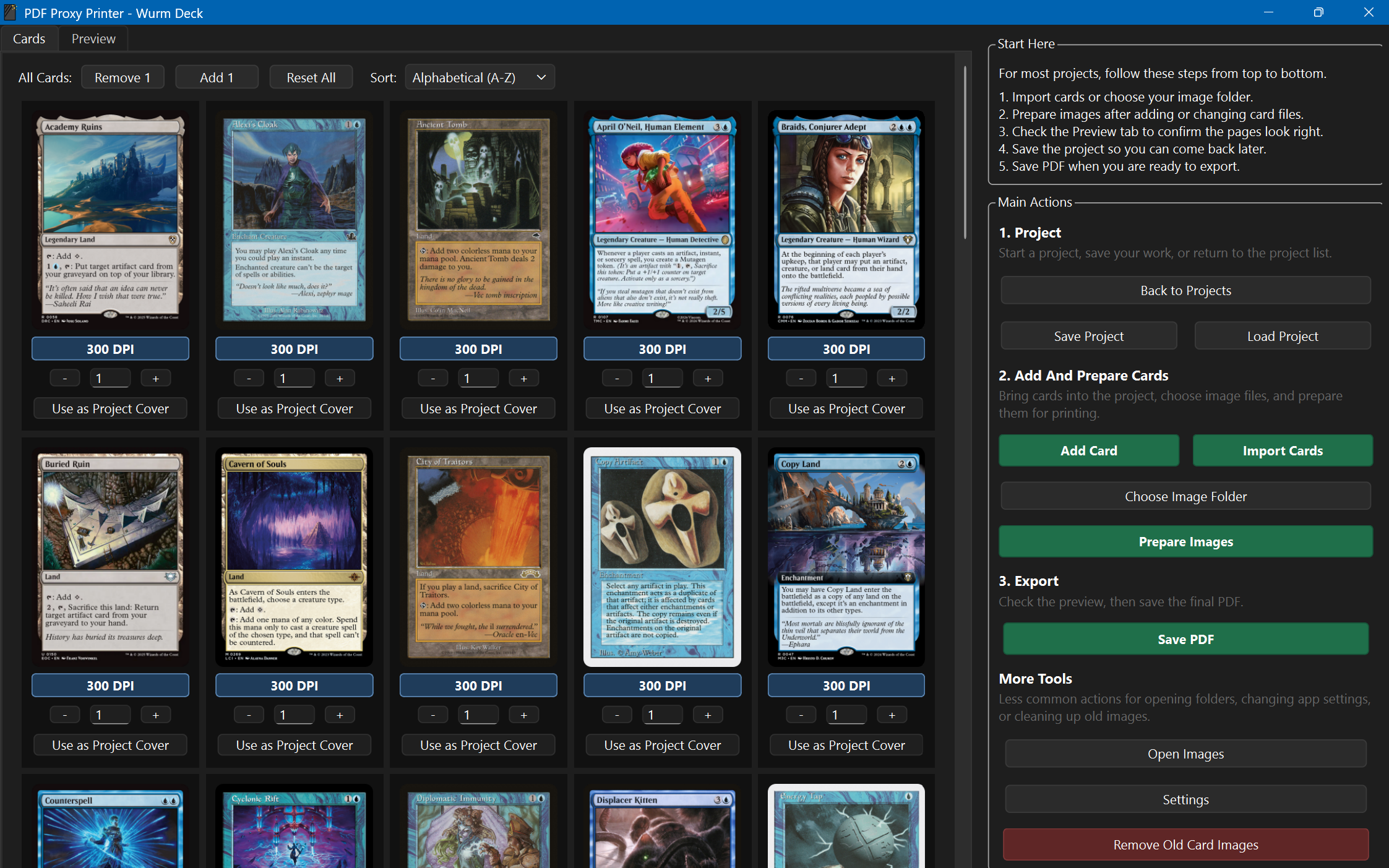
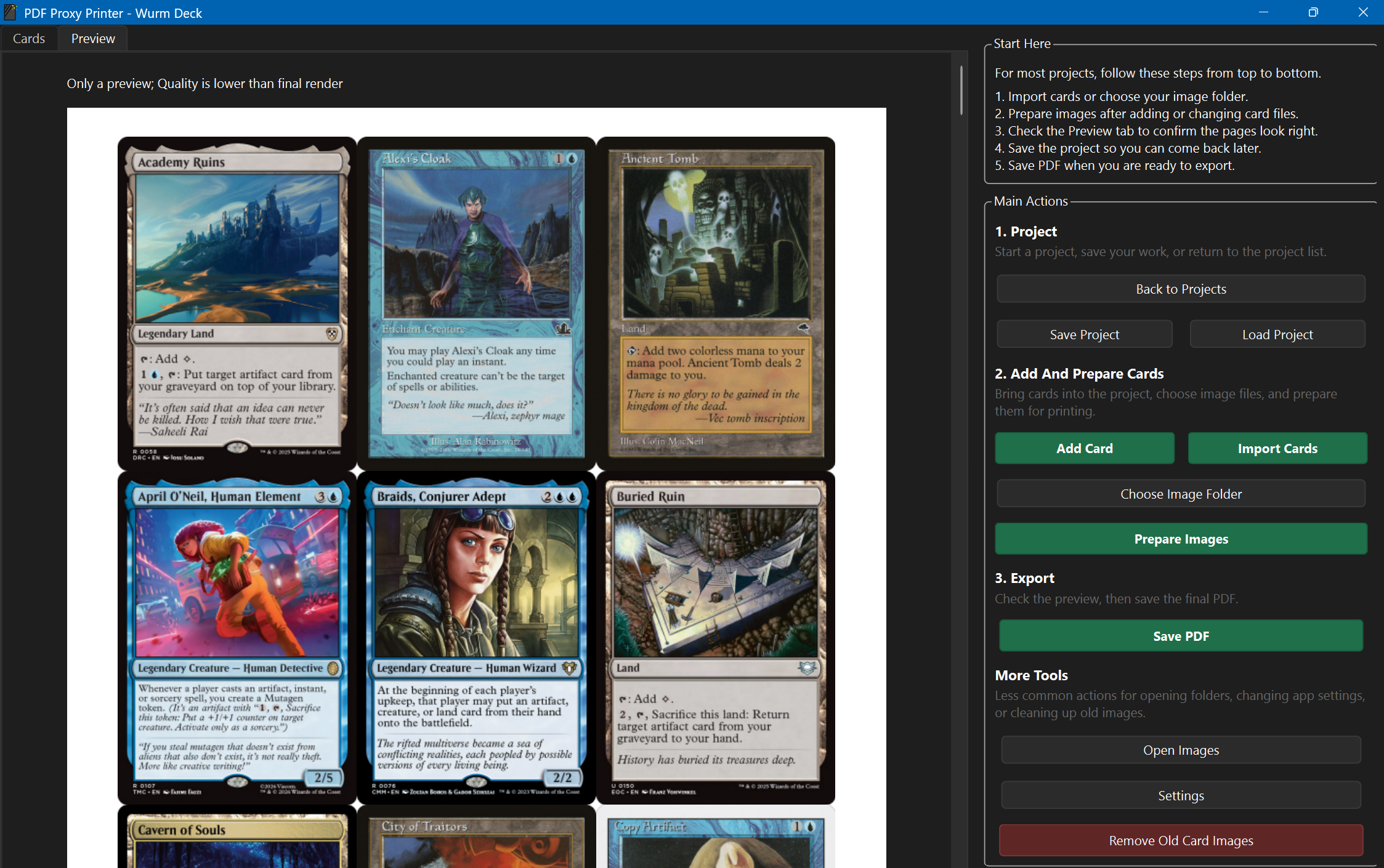
Print Deck opens a linked Print Proxy Prep project while preserving the deck workspace. The print app handles quantities, alternate artwork, double-faced cards, custom backs, and oversized cards. Its preview supports manual placement and undo/redo, with the same layout carried through to PDF export and direct printing. Printer profiles and calibration help align the fronts and backs for home printing.
Under the Hood
- A shared SQLite catalog keeps card identities, printings, artwork, and Scryfall data available across the apps.
- Local syntax search and cached artwork reduce repeated network work; background tasks keep search and image loading separate from the interface.
- Deck sessions separate document state, save/recovery behavior, and undo history from the Qt window.
- Shared artwork preferences and project overrides follow the deck into print preparation.
- A shared placement service keeps preview and exported print geometry consistent.
- Cached Oracle text and card rulings are available from card contexts; the broader offline rules library remains in progress.
Where It Came From
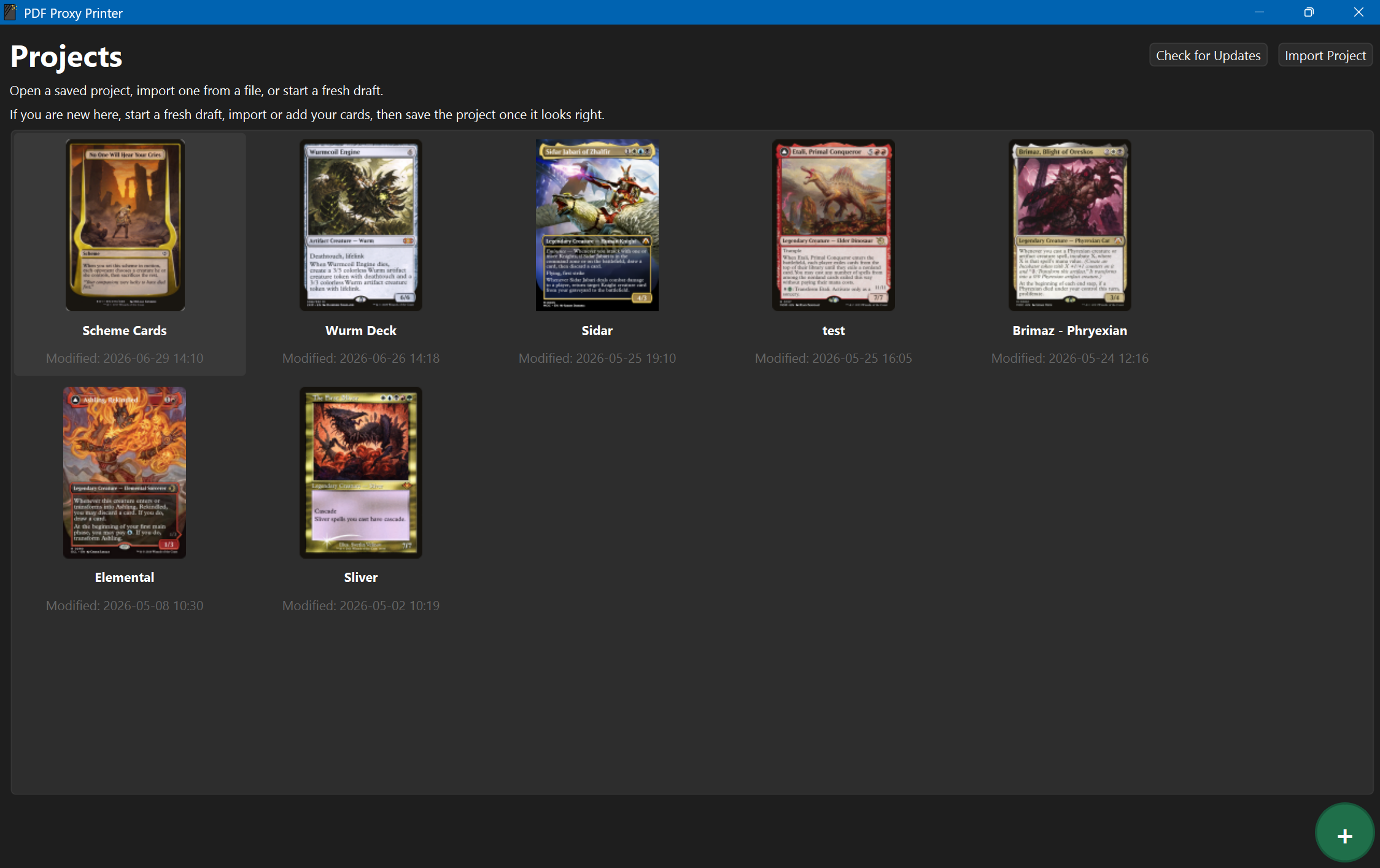
This began as a fork of Malacath-92's QtPort branch of print-proxy-prep. I could not find a printing tool that matched my exact workflow, and realized I could build on an existing project to make one. The earlier captures below document that print-focused stage of my fork, before it expanded into Manaforge. They are not screenshots of the untouched upstream project.
- Print Proxy Prep: import cards, replace art, manage backs and quantities, and export proxy sheets.
- Shared card data: move catalog, artwork, search, and synchronization into a reusable Core layer with its own admin app.
- Manaforge: bring deckbuilding, recommendations, tagging, and linked print preparation into the same suite.
Then and Now: Cards and Layouts
The printing workflow is still part of the project. The comparison shows how the original deck-import and preview screens developed into the current card-preparation and sheet-layout views, while the new Deck Editor adds a separate space for building the deck itself.
What I Am Learning
This project keeps teaching me how much clear requirements and careful iteration matter when working with AI. A useful feature has to fit the actual workflow, preserve saved work, and behave consistently across the editor, database, and printer. As the project has grown, the challenge has shifted from making a single tool work to keeping shared data, background tasks, persistence, and multiple interfaces working together. The next work includes completing the offline rules reference; the broader playtesting ideas remain future goals.